THE FOUNDATION / WEB MENU

Your PDF menu loses guests. On a phone, nobody can read it.

A PDF, a Google Drive link or a flipbook is made for paper. On a phone the text is too small. Google cannot read it. ChatGPT cannot read it. We make it a real web menu. It is in every paid plan, from $0.97 a day.

YOUR PDF MENU, ON A PHONE

The same menu. Two ways.

A PDF, a Google Drive link or a flipbook is made for paper. Tap the buttons. See what your guest sees.

  • Free tools show ads first. The ad can be for another restaurant.
  • The file is big. On a phone it opens slowly.
  • The text is too small. Guests must zoom. Many leave.
  • Google and ChatGPT cannot read your dishes.
  • No ads. Only your restaurant.
  • It opens fast, even with a weak signal.
  • Every dish has its own page: photos, video, its story and a drink to go with it.
  • Google and ChatGPT can read every dish.
THE FIRST LOOK

Guests look at you online before they come

A new guest does not know you. First they find you on Google. Then they open your menu. This is their first look at your food.

77% of diners look at a restaurant's website before they go
almost70% of them did not want to go because the website was bad

Survey of 1,101 adults in the USA. MGH, 2019.

  1. 1They wait for a big PDF to open.
  2. 2They see an ad before your menu.
  3. 3They must zoom to read a price.
  4. 4They do not see your food.

So they choose another restaurant. They never tell you why.

YOU SEE WHAT GUESTS DO

Your menu tells you what guests do

A PDF tells you nothing. Your web menu counts every visit. You see what works. You see what does not work.

Baan Ploy Sample numbers
1,284 Menu opens this week
3,910 Dishes opened
Friday Busiest day
38% Read to the end

Language guests read

English 52%
Thai 27%
Chinese 13%
German 8%

Where guests come from

Google 46%
Instagram 29%
QR on the table 25%

Seen and opened

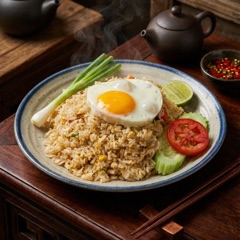
Crab fried rice 412 96
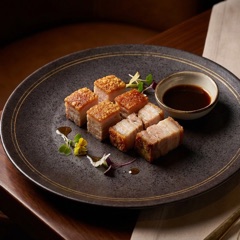
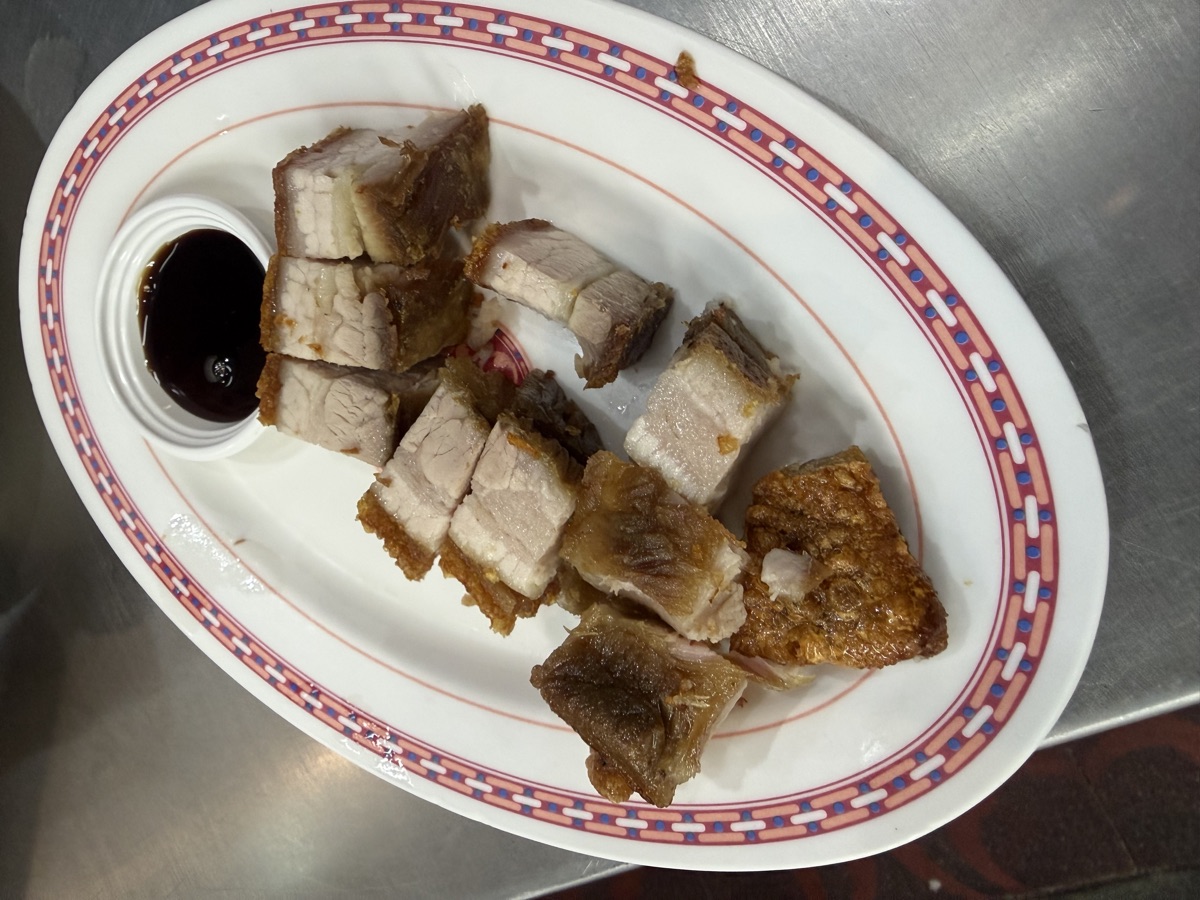
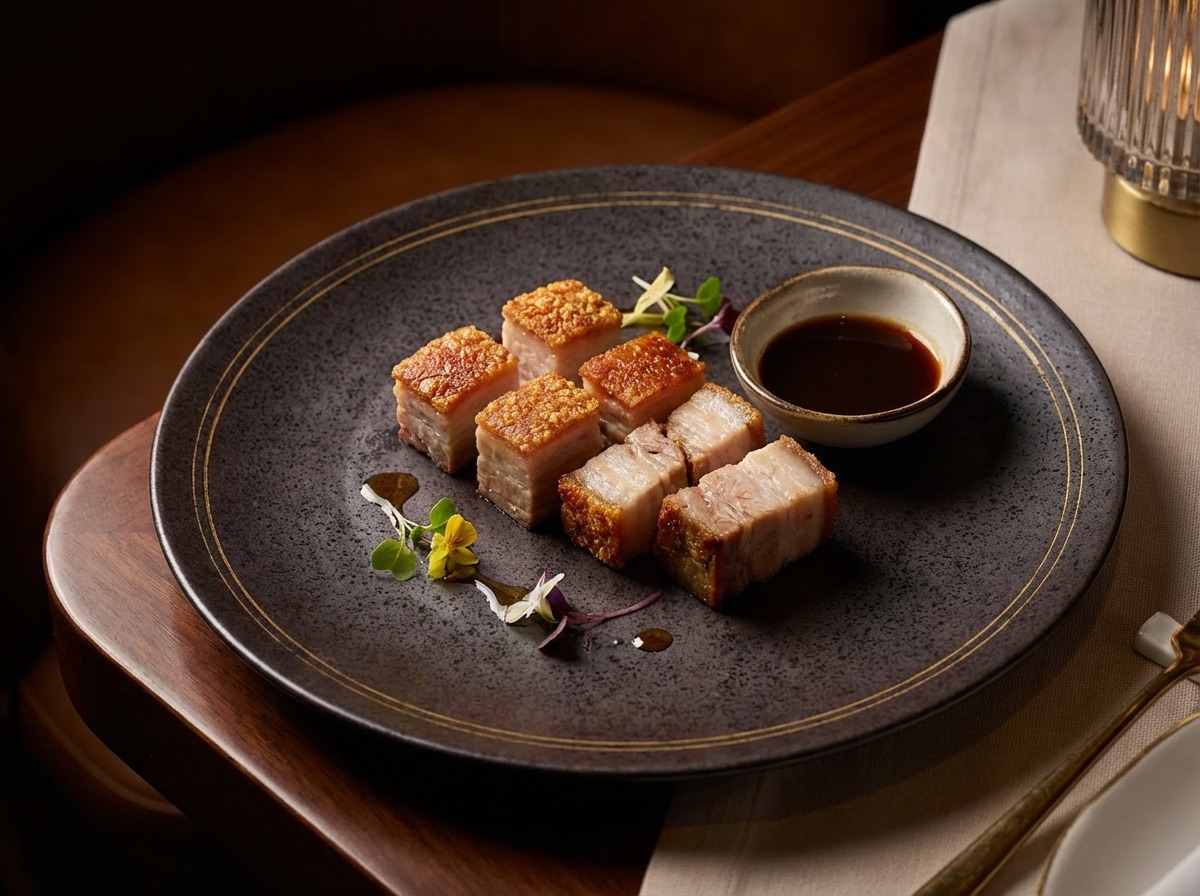
Crispy pork belly 388 7
Many guests see this dish. Very few open it. The photo is weak.
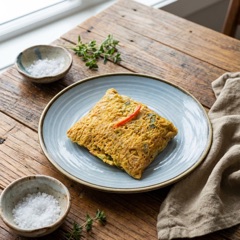
Thai omelette 201 44
Or ask the bot on Telegram
Which dishes do guests skip?
Crispy pork belly. Many guests see it. Very few open it. The photo is dark. Do you want a new one?

The numbers are in the Plus plan, from $2.63 a day. We count visits, not people. No cookies.

WHAT IT COSTS

An agency asks for thousands. Here it is in the plan.

A website and a web menu like this is a big job for a web agency. With us it is in every paid plan.

A web agency
  • A website with your name
  • A page for every dish, with its story
  • Photos and video for every dish
  • The menu in fourteen languages
  • Setup for Google
  • Changes every week
$3,000 or more Then you pay again for each change.
BiteTheMenu
  • A website with your name
  • A page for every dish, with its story
  • Photos and video for every dish
  • The menu in fourteen languages
  • Setup for Google
  • Changes every week
$0.97 a day The website and the web menu are in every paid plan. You can start free. You do not need a card. Start free
1.1

Google and AI can read it

Every dish has its own page. Google can show it. ChatGPT can suggest it. A PDF cannot do this.

1.2

Fourteen languages, one link

The guest reads the menu in their own language. The allergens and diets are translated too.

1.3

A good photo for every dish

Send a phone photo. It comes back looking professional. No photo? The AI makes one from the dish name.

1.4

Your name, your colours

Your web address and your logo. One QR code for the table. It still works when you change the menu.

1.5

You see what guests read

You see which dishes guests open and which they skip. You see how far they read, and in which language.

1.6

Change it with one message

Write to the bot on Telegram: "Hide the green curry." It shows you the change. It waits for your yes. You do not open the app.

What changes

A PDF, a Google Drive link or a flipbook

  • Google cannot read your dishes. It only sees a file.
  • A tourist cannot read it. There is no translation and no allergens.
  • The text is too small on a phone. Guests pinch, zoom and leave.
  • To change a price, you make a new PDF and upload it again.
  • You do not know what guests read. You do not know what they skip.

A web menu made for the phone

  • Every dish has its own page. Google and AI can read it.
  • Fourteen languages from one link. Allergens are translated too.
  • Every dish has a good photo, all in one style.
  • You change a price and it is live in seconds. The QR code stays the same.
  • You see which dishes guests open and which they skip.

How it works

Six steps. The first one takes one afternoon. Then the menu stays up to date.

  1. 01

    Your menu goes in one time

    Upload your PDF, paste its link, or take a photo of the paper menu. The AI reads the dishes, the prices and the sections. You fix any mistakes.

  2. 02

    Every dish gets a photo

    Send a phone photo from the kitchen. It comes back looking professional. Same dish, better light. For a dish with no photo, the AI makes one from the name.

  3. 03

    Every dish gets words, in fourteen languages

    The AI writes each dish in your voice. Then it translates it into fourteen languages. Allergens and diets are translated too.

  4. 04

    It goes live on your own address

    Your name, your colours, your web address. One QR code for the table. One link for Instagram. Both keep working when you change the menu.

  5. 05

    Google and AI can read it

    Each dish goes out as clear data, not as a picture. When someone asks an AI where to eat, it can name you. It can name your dishes and your prices.

  6. 06

    You see what guests looked at

    Paper cannot tell you this. Your web menu can. A dish seen 141 times and opened 3 times has a problem. Often it is the photo or the price.

This is what your guest opens

One link. No app. No PDF. No zoom. It opens in the language of their phone. Every dish has a photo.

The menu, on a phone
One dish, its own page
The same menu, fourteen ways

Typed in English on the Thai menu. The dish still comes up.

THE AI WRITES YOUR MENU

The AI writes every dish in your voice

You type the name of the dish. The AI writes its story in your voice. It also writes the text that Google shows. Then the app gives each text a score from 0 to 100.

You type
Crispy pork belly $20
Your voice. You save it one time.

“Warm and simple. We are a family kitchen in Bangkok. Our recipes come from home.”

The AI writes

We cook our pork belly slowly for twelve hours. Then we press it overnight. At the end we fry it in hot oil. The skin turns golden and crisp. The meat stays soft, rich and juicy. You dip it in black vinegar with fresh chilli and garlic. The sauce is sour, sweet and a little hot. It is an old family recipe from Bangkok.

Dairy-free. Contains: soy.

What Google shows
Crispy Pork Belly, Slow-Cooked 12 Hours | Baan Ploy Pork belly cooked slowly for twelve hours, then fried until the skin is crisp. Served with black vinegar and chilli. Baan Ploy, Bangkok.
AI score 90/100
SEO score 95/100

In your voice

You tell the AI how you talk. You do this one time. Warm, simple or elegant. Then every dish sounds like you wrote it.

A high AI score

The AI score checks what is in the dish, how it tastes and how you cook it. It checks the allergens too. AI assistants need these words to suggest your dish.

A high SEO score

The AI also writes the title and the text for Google. The SEO score checks them. Green means Google can show your dish well.

A story guests enjoy

The AI tells where the dish comes from and how you cook it. Guests enjoy the story. A guest who understands a dish is happy to order it.

Good words help more guests find you on Google and in AI answers. A good story helps them choose. You read each text, change it if you want, and save it.

THE ANSWER YOUR GUEST GETS

Ask ChatGPT where to eat tonight

Many people now ask an AI where to eat. The AI can only name what it can read. It cannot read a PDF. It cannot read a photo of a menu.

Where can I get good sushi near Sukhumvit tonight?
Your menu as a PDF

Here are three places nearby for sushi: a hotel restaurant, a mall chain, and a place with 400 reviews.

Your chirashi is the best on the street. The AI does not know. It cannot read your PDF.

Your menu on BiteTheMenu

Ito Sushi, 300 m away, cuts their chirashi to order — fish in from Toyosu twice a week. $24. They also do a salmon donburi at $18.

Your dish, your words, your price. The AI can quote your menu because it can read it.

Google AI, Perplexity, Claude and Apple work the same way. They read web pages. They do not read PDFs.

Where your menu is today

Most restaurants have one of these five. Each one was a good choice on the day you made it. Here is what each one costs you now.

Nothing online

Only a pin on the map and a phone number.

Your guest sees
They look for your food at 7 pm. They find nothing. They book another place.
Google and AI see
Google knows you are a restaurant. It does not know you cook steak. So it does not show you to people who search for steak.

Photos on Instagram

Your menu is a photo of the board.

Your guest sees
The photo is old and at an angle. They cannot read the prices. They send you a message to ask.
Google and AI see
It is a picture. Google cannot read the dish names in it. AI cannot read them either.

A PDF or a Google Drive link

The file for the printer, now on the internet.

Your guest sees
It was made for paper. On a phone the text is very small. Guests pinch and zoom. Many leave before the main dishes. With photos, the file can be 20 to 50 MB. It opens slowly.
Google and AI see
Google sees a file called menu.pdf. It cannot read your dishes. AI cannot quote your pad thai or your price.

A flipbook

Canva, AnyFlip, Issuu. A PDF with pages that turn.

Your guest sees
First they wait for it to load. Then they see a big page on a small screen. They swipe the wrong way and lose the dish.
Google and AI see
Google finds the flipbook website, not you. Your dishes inside stay a picture.

A delivery app

It works. But it works for the app, not for you.

Your guest sees
They find your food on a page with the app's logo. Four other restaurants are under yours.
Google and AI see
Your dishes show well on Google. But under the app's name, not yours. And the app takes a part of every order.

Your BiteTheMenu menu

Your address, your brand, your dishes as clear data.

Your guest sees
One link. The whole menu in their language. A photo on every dish. A search that finds any dish.
Google and AI see
Every dish has its name, price, currency and diets as clear data. The AI readers are welcome on your menu.

Thirteen questions for all six

A PDF wins one row. A delivery app wins two. We show that. A table where one side wins every row is hard to believe.

Yes A little No
Nothing onlinePhotos on InstagramA PDF or a Google Drive linkA flipbookA delivery appYour BiteTheMenu menu
Made for a phone, not for paper No A little No No Yes Yes
Opens fast No A little No No A little Yes
Google can read your dish names No No No No A little Yes
AI can quote your dishes No No No No No Yes
Guests read it in their language 14 languages No No No No A little Yes
Guests can search it No No No No A little Yes
Allergens and diets guests can trust No No A little A little A little Yes
Every dish has a photo No A little No No A little Yes
A new price is live at once No No No No Yes Yes
Your name and your brand on it No A little Yes A little No Yes
No commission on your sales Yes Yes Yes Yes No Yes
You see what guests looked at No A little No No A little Yes
It shows you to new people No A little No No Yes A little

What is under it

Guests do not see this part. But it decides if people find you. All of this is live on the first day.

01

Made for the phone screen

Most menu PDFs are the file for the printer. On a phone the whole page gets very small. The text is about five times smaller. A PDF cannot change its layout. A web page can. It fits every screen. The words come first. Each photo loads at the right size.

A PDF has a fixed page. A web page fits the screen.

02

Your dishes are clear data, not a picture

Each dish page has a small hidden record. It has the name, what is in it, the price and the diets. Google reads this record. AI reads it when someone asks where to eat. A PDF has no record like this.

On every dish page. This is the real format.

03

One photo in, the right size out

You upload a photo one time. The menu makes a small one for the list and a big one for the dish page. Old phones get a file they can open. A guest with a weak signal still sees the menu fast.

Three sizes and three file types, from one photo.

04

Fourteen languages, each with its own address

This is not a translate button. Each language is a real page with its own web address. Google sends a German search to the German page. Arabic reads from right to left. Allergens are translated too.

Fourteen languages, plus one page for everyone else.

05

Search in any language

A guest reads the Thai menu and types "pork" in English. The dish still comes up. The search also reads the descriptions. So "truffle" finds a dish with truffle in it.

One search across every language of the dish.

06

AI readers are welcome

ChatGPT, Claude, Perplexity, Google and Apple send programs to read websites. Many restaurant websites block them by mistake. Your menu lets them in by name. It also gives them a list of every dish page.

Thirteen AI readers allowed on the menu. None in your admin.

07

It counts visits, not people

You see that a dish was seen 110 times and opened 3 times. You do not see who the guests are. There are no cookies and no logins. So your menu needs no cookie banner. If a phone asks not to be tracked, we count nothing.

Totals only. We keep nothing that shows who a guest is.

Dish pages, all the languages and the hidden records are in the paid plans. The free plan gives you the menu page, free, for as long as you want.

AND THERE IS MORE

The menu is the base. Everything else connects to it.

When your dishes are on the web, the rest is easy. Each thing below is ready. You switch it on when you want. It uses the menu you already have.

Your chef on video, on the dish

Add a video to any dish. The chef can show how the broth is made. Or make a short video from the dish photo, with the name and the price. Or paste a link to your own video.

Everything about one dish, on one page

A story in your words. Many photos. A video. The ingredients and the allergens. The wine that goes with it. A new waiter reads the page and knows what to say. A guest reads it and chooses.

Change the menu from Telegram

Hide a dish when you have no more. Show tonight's special. Change a price. Write it to the bot in your language. It shows you the change and waits for your yes. Nothing is deleted.

The QR code is free. Orders are in the paid plans.

Every menu has a free QR code for the table. The guest scans it and reads. In the paid plans, the same QR code also takes the order. You keep the whole bill.

Every part of your website, on one page

The rest of the platform, ready when you are

No other contract. No other login. Use only what you want. If you only want the menu, that is fine with us.

Which plan it comes with

Start free. You do not need a card. Pay when the menu brings you guests.

Free

Your menu page, online, with photos and descriptions. One competitor. AI credits to try everything.

Plus

The Photo Studio. The numbers from your menu. Your street checked every day. Eight competitors.

What you pay for today, without us
  • A photographer, one time, for dishes that change every season.
  • A translator for each language. And again for each new dish.
  • A web agency to make the page. Then a fee each month to change a price.
  • An analytics tool that nobody in the kitchen has time to read.

No setup fee. If you leave, your menu, photos and guest list stay yours.

Web menu & website — live tonight.

No card, no setup call. Start free and the agents pick it up on their next shift.